
Employee mapping
Device users map to HRM employee records — and punches from unmapped users are kept and back-filled the moment the mapping is made.
Connect biometric attendance inputs to employee time records so device-backed punch logs support daily attendance, lateness, overtime and payroll review.
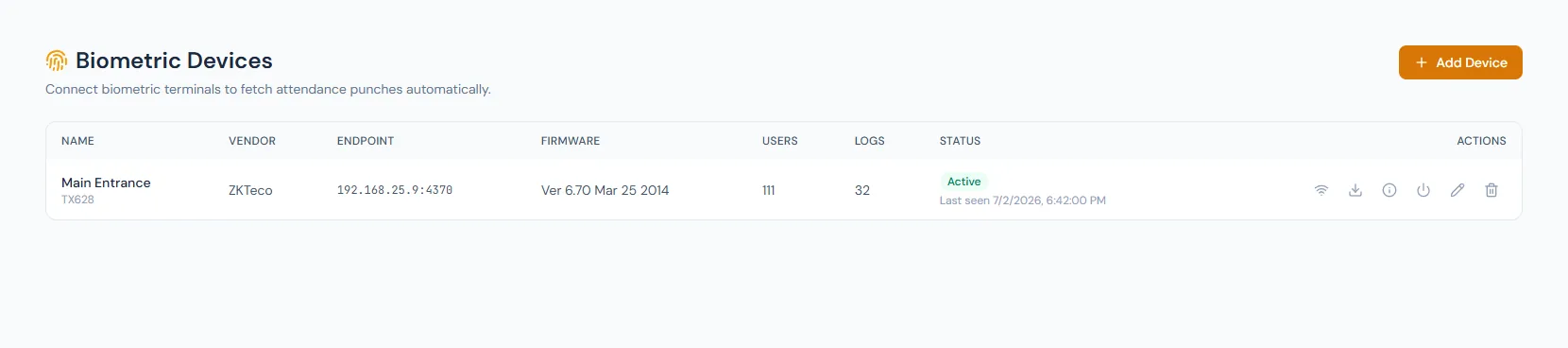
Connect biometric attendance inputs to employee time records so device-backed punch logs support daily attendance, lateness, overtime and payroll review.
Device users map to HRM employee records — and punches from unmapped users are kept and back-filled the moment the mapping is made.
Biometric punch logs become attendance events.
Device-backed records reduce manual attendance disputes.
Connect biometric attendance inputs to employee time records so device-backed punch logs support daily attendance, lateness, overtime and payroll review.
Every view stays structured and reviewable — nothing hides behind a tab.
Employee records are connected to biometric identities.
Device logs feed the HRM attendance ledger.
Punches from unmatched device users wait safely and back-fill once the employee is bound.
Devices can be restarted, time-synced and managed remotely, with every command logged.
Attendance can be backed by device events.
Fingerprints enroll remotely, live in an encrypted library, push to new devices and restore automatically when a device rejoins.
Device data backs up automatically each night and can be restored.
Punches from unknown device users are captured and back-filled on binding rather than dropped.
Device-backed records improve traceability.
Synced logs support downstream time calculations.
Punch events that can feed attendance records.
They are captured and held, then back-filled into attendance as soon as the device user is bound to an employee.
Yes. Synced attendance can feed payroll rules.
Map your current workflow to the right HRM setup, permissions and rollout plan.