
Manage employee profiles, work history, reporting lines, documents, status, verification, shifts and lifecycle movements in one people record.
01Create employeeEmployees process stepActive
02Accept agreementEmployees process stepActive
03Track movementEmployees process stepActive
Manage employee profiles, work history, reporting lines, documents, status, verification, shifts and lifecycle movements in one people record.
Personal, employment, bank, emergency and document data stay together.
Transfers, promotions, salary changes and separations remain traceable.
Employees review their own profile, documents and account information.
The Employees Management page from HRM gives HR teams a searchable workforce table for employee identity, department, designation, employment status and lifecycle actions.
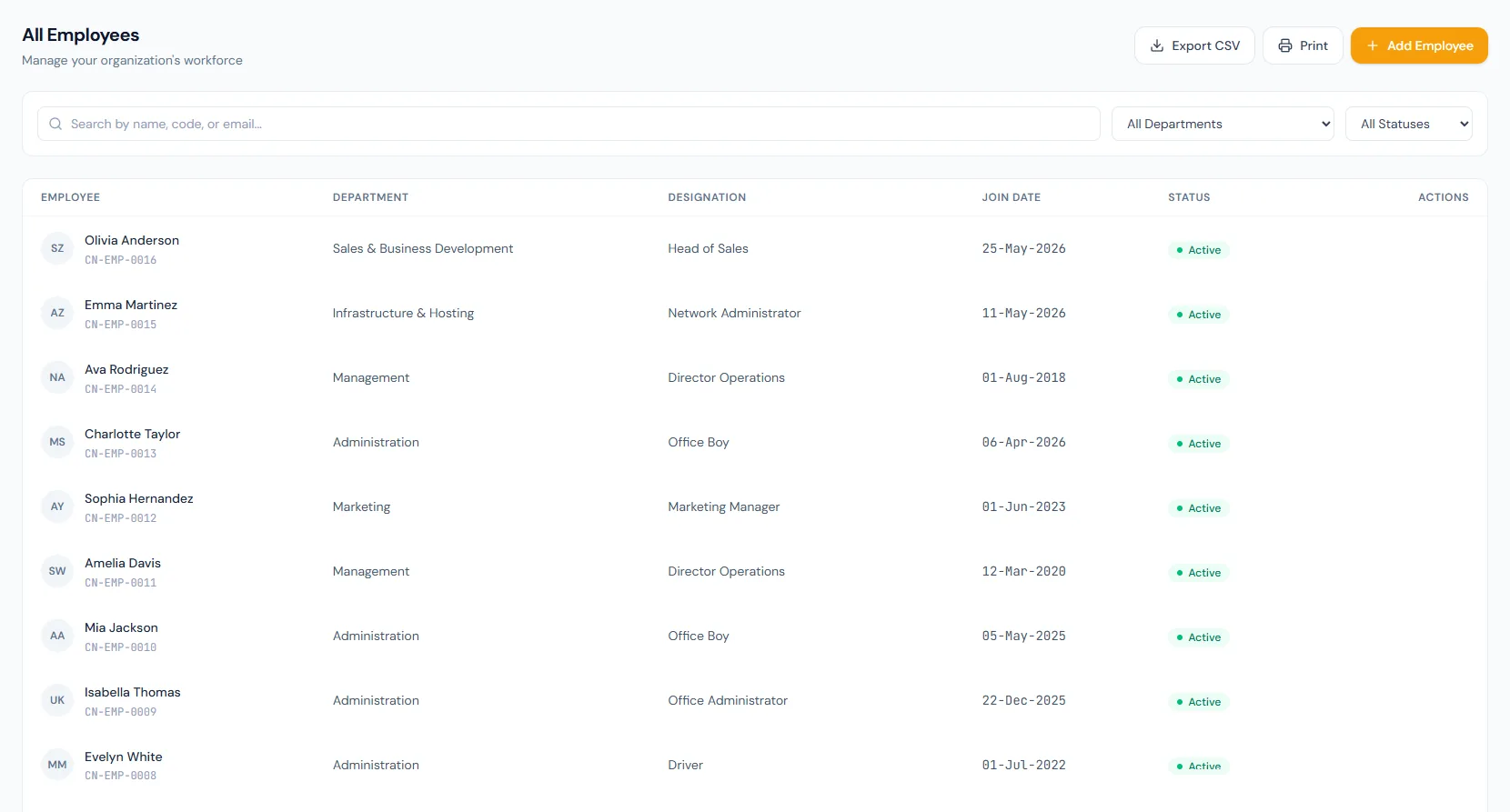
Manage employee profiles, work history, reporting lines, documents, status, verification, shifts and lifecycle movements in one people record.
Every view stays structured and reviewable — nothing hides behind a tab.
Create the record, linked user and secure setup flow.
Attendance, leave and payroll start after activation.
Branch, department, role and salary changes retain old and new values.
Separated employees keep their history for audit and reporting.
Unique immutable codes standardize records.
Shift assignments preserve previous history.
Employee-submitted profile edits move through a draft, submitted and approved flow with an HR review queue.
A letter mailed to the stated address carries a six-digit code the employee redeems in the portal, with a 45-day window and limited attempts.
Confirming an employee stamps the confirmation date, issues the confirmation letter and emails it automatically.
New employees stay out of payroll until agreement acceptance.
After accepting the employment agreement.
No. History is retained.
Self-service exposes own-record actions based on permissions.
Map your current workflow to the right HRM setup, permissions and rollout plan.