
Personalized greeting
The dashboard is tailored to the signed-in employee.
Give employees a personalized dashboard with attendance, leave, salary, loans, pending requests, holidays, announcements and badge progress loaded from employee-scoped portal data.
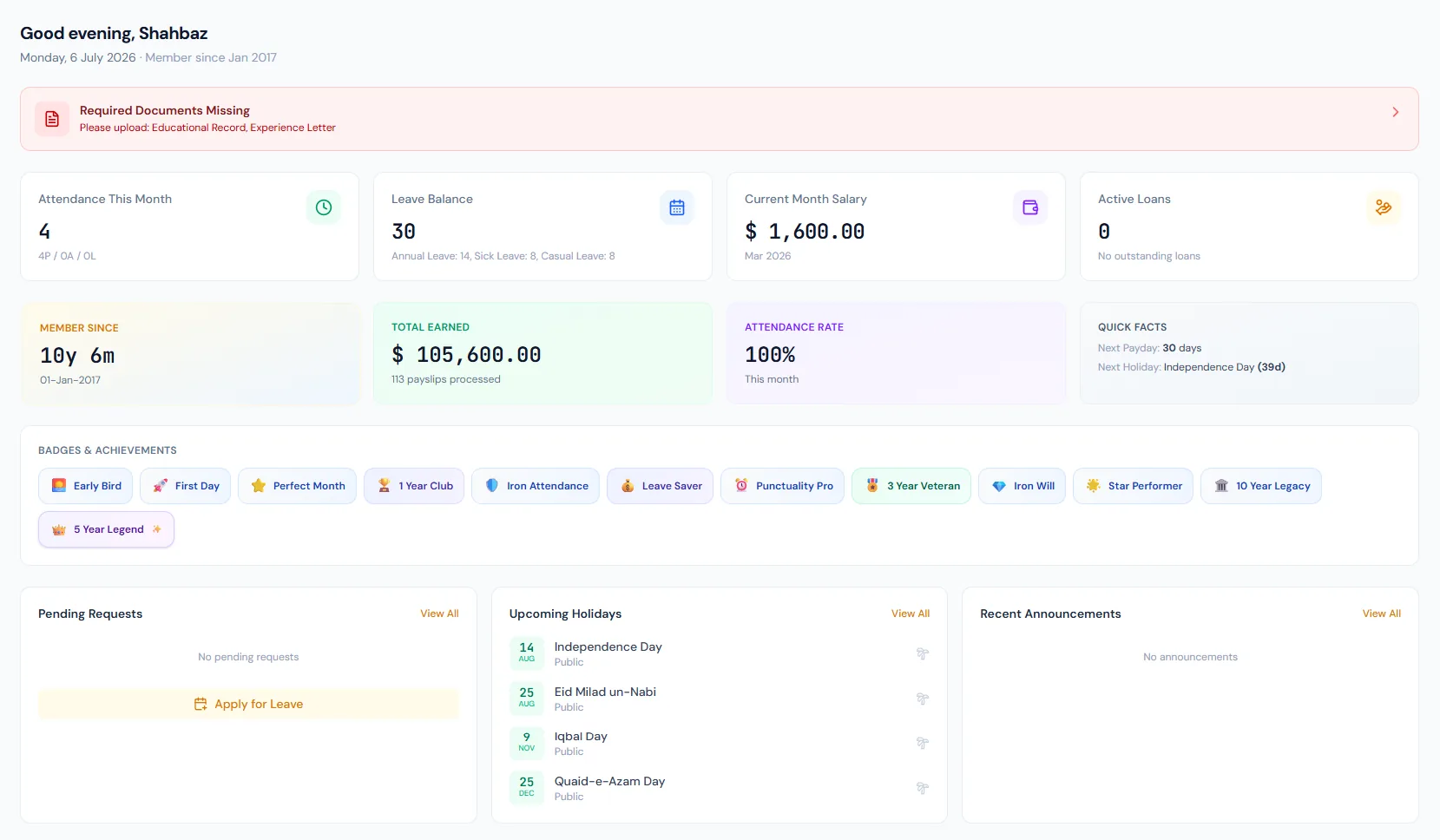
The dashboard is tailored to the signed-in employee.
Contract acceptance, missing documents and the address-verification countdown surface as prompts until resolved.
Balances and pending requests are surfaced early.
Recent salary and slip availability can be linked from the dashboard.
Employees assigned as interviewers see their upcoming interviews in a dedicated panel.
Earned and locked rewards are displayed in one place.
Give employees a personalized dashboard with attendance, leave, salary, loans, pending requests, holidays, announcements and badge progress loaded from employee-scoped portal data.
The dashboard greets the employee and summarizes their current HR status.
Attendance, leave, salary and loan cards keep the most common questions visible.
Pending requests, holidays, announcements and badge progress reduce follow-up with HR.
Choose a view to see how this module keeps daily HR work structured and reviewable.
Employees see month-to-date attendance and any exceptions that need attention.
Values remain traceable in HRM.Give employees a personalized dashboard with attendance, leave, salary, loans, pending requests, holidays, announcements and badge progress loaded from employee-scoped portal data.
Shared context keeps this workflow aligned with employee portal records.
ConnectedShared context keeps this workflow aligned with attendance view records.
ConnectedShared context keeps this workflow aligned with leave requests records.
ConnectedShared context keeps this workflow aligned with payslip access records.
ConnectedShared context keeps this workflow aligned with announcements records.
ConnectedShared context keeps this workflow aligned with badges & rewards records.
ConnectedAttendance, leave, salary, loans, pending requests, holidays, announcements and badges.
No. Widgets are scoped to the signed-in employee.
Yes. Dashboard widgets should link to the relevant portal page.
Map your current workflow to the right HRM setup, permissions and rollout plan.