
Provide a dedicated employee portal where staff can view their profile, attendance, leave, salary slips, documents, contract, announcements, holidays and personal HR actions without admin access.
01Receive invitationEmployee Portal process stepActive
02Claim accountEmployee Portal process stepActive
03Accept agreementEmployee Portal process stepActive
Choose a view to see how this module keeps daily HR work structured and reviewable.
Portal pages expose only the signed-in employee's records and allowed actions.
Values remain traceable in HRM.The Employee Portal gives staff a dedicated workspace for profile, attendance, leave, salary slips, documents, announcements and personal HR actions.
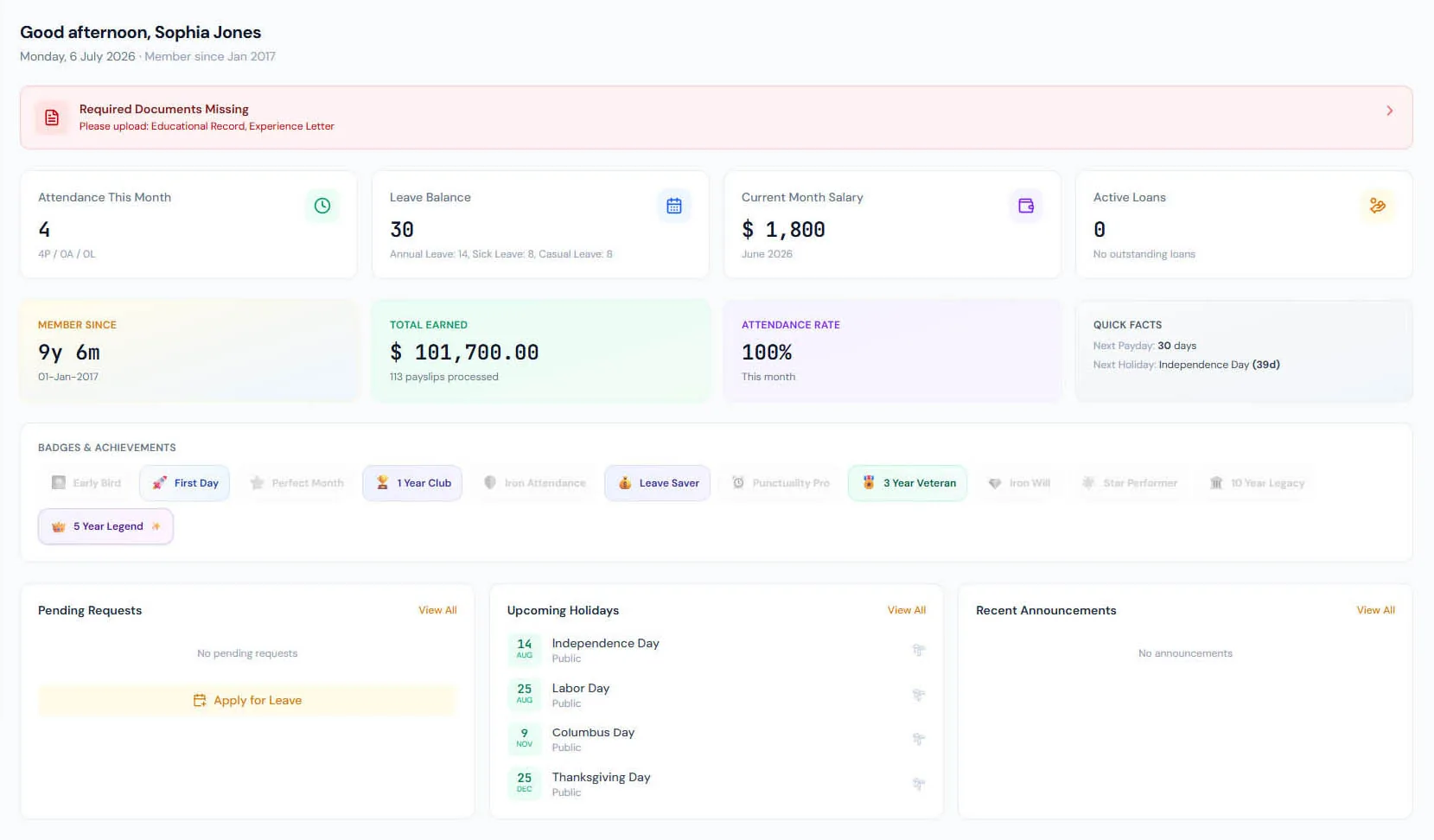
Staff can review personal, contact and employment information.
Monthly time records, balances, leave applications and approvals are all self-service.
Salary slips, loans, expense claims and tax certificates live in the portal's Money group.
Tasks, daily reports, weekly sales reports and interview feedback have their own portal pages.
Employees can view issued HR letters and raise letter requests.
Targeted notices and recognition badges appear in the portal experience.
Provide a dedicated employee portal where staff can view their profile, attendance, leave, salary slips, documents, contract, announcements, holidays and personal HR actions without admin access.
Employee self-service lives under dedicated portal routes instead of exposing admin screens.
Portal pages show only the signed-in employee's own profile, attendance, leaves, salary slips, documents, contracts and badges.
Employees are invited rather than issued passwords; claiming the invitation binds the account to the sign-in email, and an existing account simply gains the membership.
Provide a dedicated employee portal where staff can view their profile, attendance, leave, salary slips, documents, contract, announcements, holidays and personal HR actions without admin access.
Shared context keeps this workflow aligned with employee portal records.
ConnectedShared context keeps this workflow aligned with portal dashboard records.
ConnectedShared context keeps this workflow aligned with profile view records.
ConnectedShared context keeps this workflow aligned with leave requests records.
ConnectedShared context keeps this workflow aligned with payslip access records.
ConnectedNo. The portal is a dedicated employee workspace with own-record access.
Their profile, attendance, leave, salary, loans, expenses, tasks, reports, letters, tax certificates, documents, contract, announcements, holidays and badges.
Yes. A single sign-in can hold memberships in many companies, switched from the top bar.
Map your current workflow to the right HRM setup, permissions and rollout plan.