
Automatic evaluation
Badge criteria can be evaluated for all active employees or one employee.
Award employee badges across common, rare, epic and legendary tiers using contract acceptance, attendance, punctuality, leave usage, tenure and promotion criteria, with portal display and admin evaluation controls.
First Day, Perfect Month and Early Bird cover onboarding and basic attendance wins.
Badge criteria can be evaluated for all active employees or one employee.
A start-of-month run judges the completed prior month — with at least fifteen marked days required before attendance badges can be earned.
Admins can award a badge for special projects or recognition outside automated criteria.
Only the monthly and yearly streak badges — perfect attendance, zero-late and leave saver — can repeat, once per period; every other badge is earned once per employee, ever.
Perfect attendance, zero-late, leave saver, tenure and promotion criteria are all included.
The twelve-badge catalog is ready-made — admins evaluate and award rather than authoring definitions.
Employees see earned and locked badges on their dashboard badge block.
Inactive badges stop future awards without revoking earned history.
The Badges & Rewards page from HRM helps employees view earned and locked recognition badges while HR keeps awards, rarity and achievement history organized.
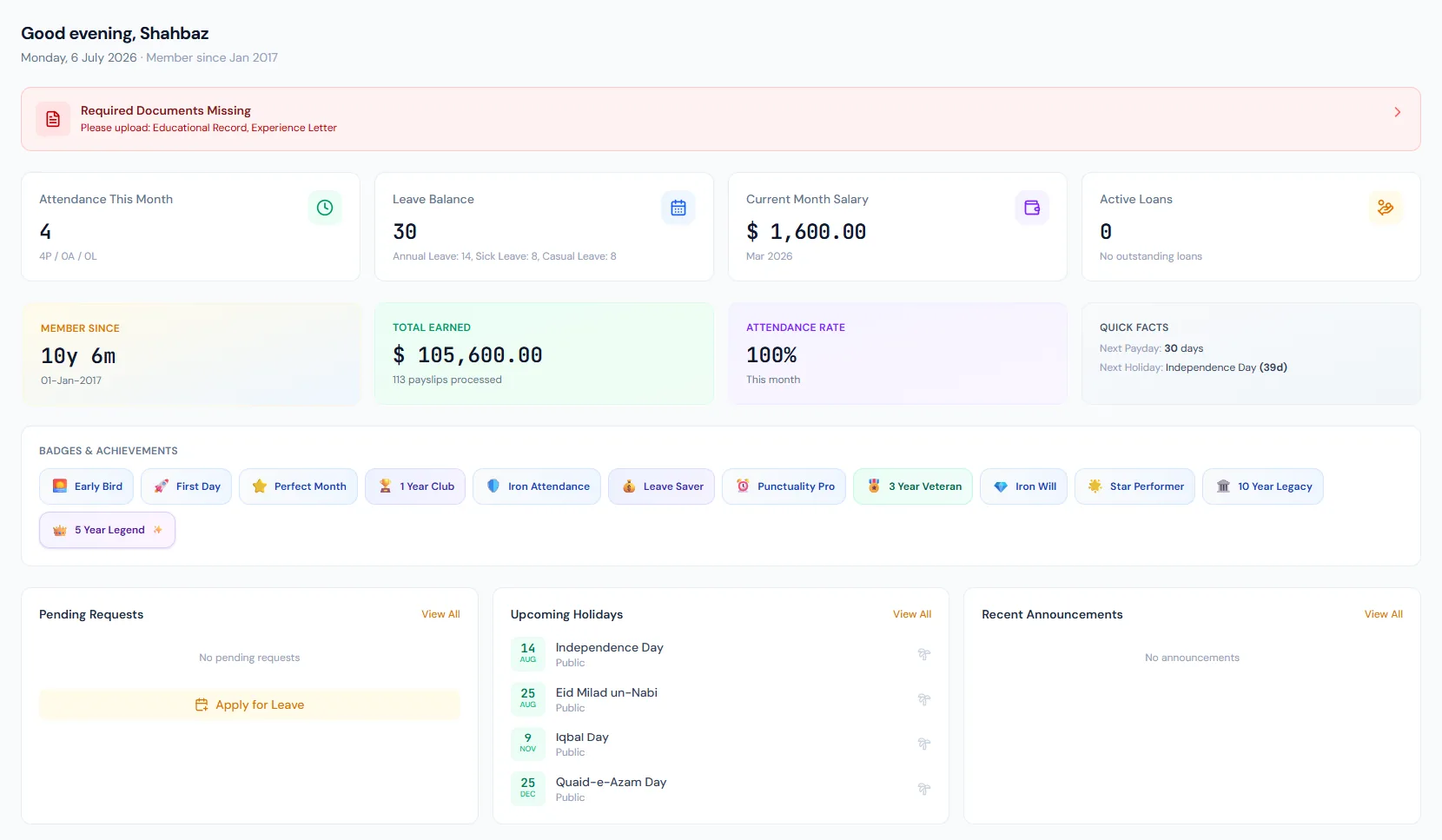
Award employee badges across common, rare, epic and legendary tiers using contract acceptance, attendance, punctuality, leave usage, tenure and promotion criteria, with portal display and admin evaluation controls.
Award employee badges across common, rare, epic and legendary tiers using contract acceptance, attendance, punctuality, leave usage, tenure and promotion criteria, with portal display and admin evaluation controls.
Built-in badges define name, code, icon, rarity, description and criteria.
EmployeeBadge rows store employee, badge, earned date, context and notes.
Employees see earned and unearned badges on the portal dashboard.
Every view stays structured and reviewable — nothing hides behind a tab.
First Day, Perfect Month and Early Bird cover onboarding and basic attendance wins.
Quarterly attendance streaks, leave-saving and the first year of service recognize discipline over time.
Three-year tenure, long attendance streaks and promotions earn higher recognition.
The rarest tier honors five and ten years of service.
Twelve built-in badges span four rarity tiers.
Only the monthly and yearly streak badges repeat, once per period; everything else is once per employee.
No. It prevents future awards and hides the unearned version.
Map your current workflow to the right HRM setup, permissions and rollout plan.