
Self-service regularization
The page includes a correction form — a missing clock-out is tagged with an explicit prompt to file a regularization.
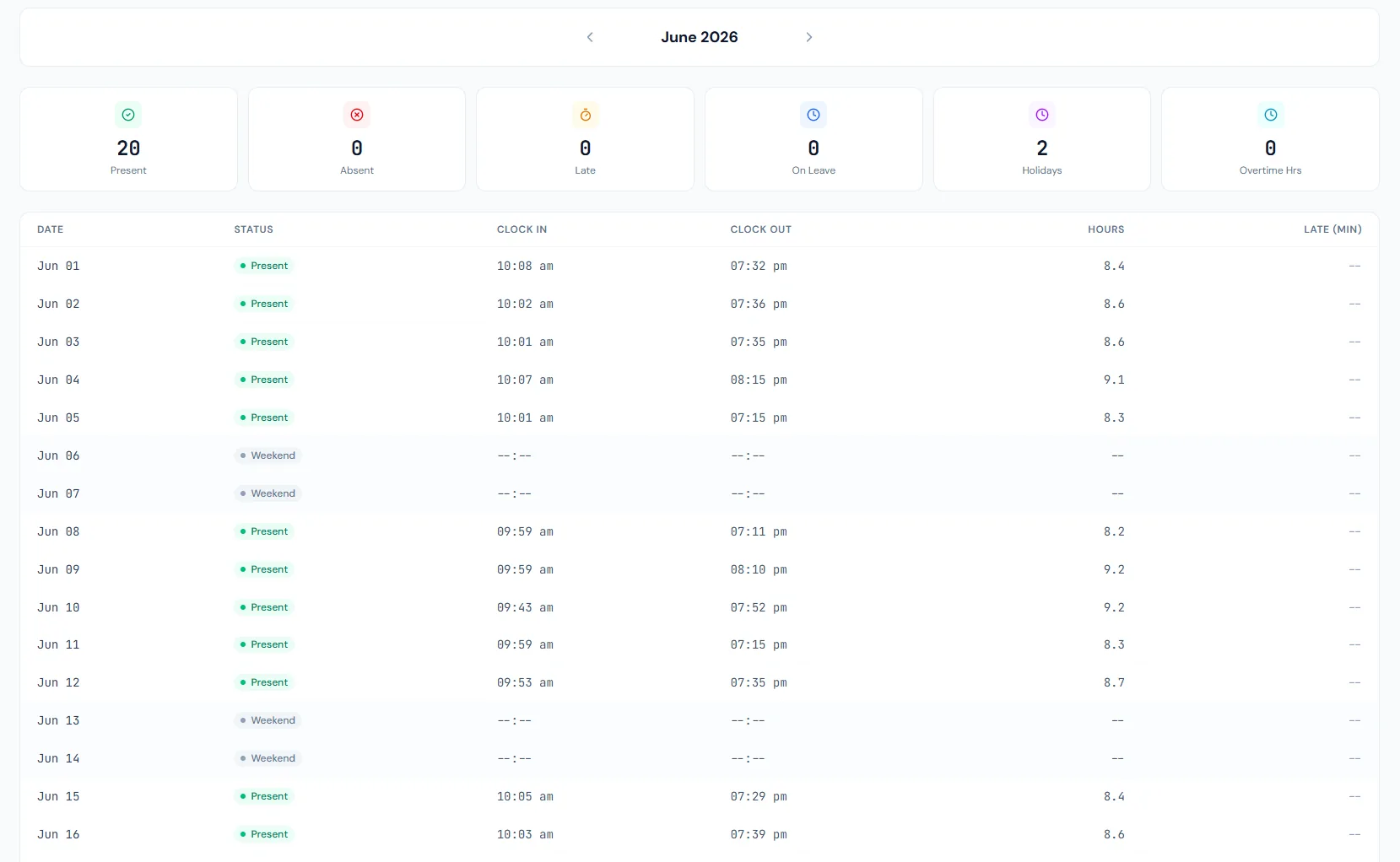
Give employees a monthly attendance view with clock status, present or absent days, late marks, overtime context and links back to leave and holiday records.
The page includes a correction form — a missing clock-out is tagged with an explicit prompt to file a regularization.
A monthly view keeps the record easy to review.
Punch times can be displayed where available.
Early leave, half day, work-from-home, weekend and combined tags appear alongside present, late and absent.
Approved leave explains absence days.
Employees can raise issues before salary processing.
Give employees a monthly attendance view with clock status, present or absent days, late marks, overtime context and links back to leave and holiday records.
Employees can review their own month of attendance records and daily status.
Late, absent, overtime and missing time signals can be highlighted before payroll review.
Leave and holidays explain why a day is not a normal workday.
Every view stays structured and reviewable — nothing hides behind a tab.
A calendar or table view keeps daily attendance easy to scan.
Clock-in and clock-out values can show what was captured for the day.
Employees can spot late marks, missing punches and overtime before they become payroll inputs.
Approved leave and holidays sit beside attendance so employees understand non-working days.
Give employees a monthly attendance view with clock status, present or absent days, late marks, overtime context and links back to leave and holiday records.
No. Portal attendance is scoped to the signed-in employee.
Yes. Late and overtime context can be highlighted.
Yes. Leave and holidays provide context for non-working days.
Map your current workflow to the right HRM setup, permissions and rollout plan.