
Manage HRM login accounts, employee links, passwords, role assignment, impersonation and active status with safeguards around system roles and historical access.
01Create accountUsers & Roles process stepActive
02Attach employeeUsers & Roles process stepActive
03Assign rolesUsers & Roles process stepActive
Manage HRM login accounts, employee links, passwords, role assignment, impersonation and active status with safeguards around system roles and historical access.
Users can be tied to employee records so admin and portal access share the right identity.
Admins assign one or more roles from system or custom role sets.
Password reset, must-change-password, impersonation and deactivation support controlled operations.
The Users & Roles page helps administrators create HRM accounts, link employees, assign roles, reset credentials and manage active access safely.
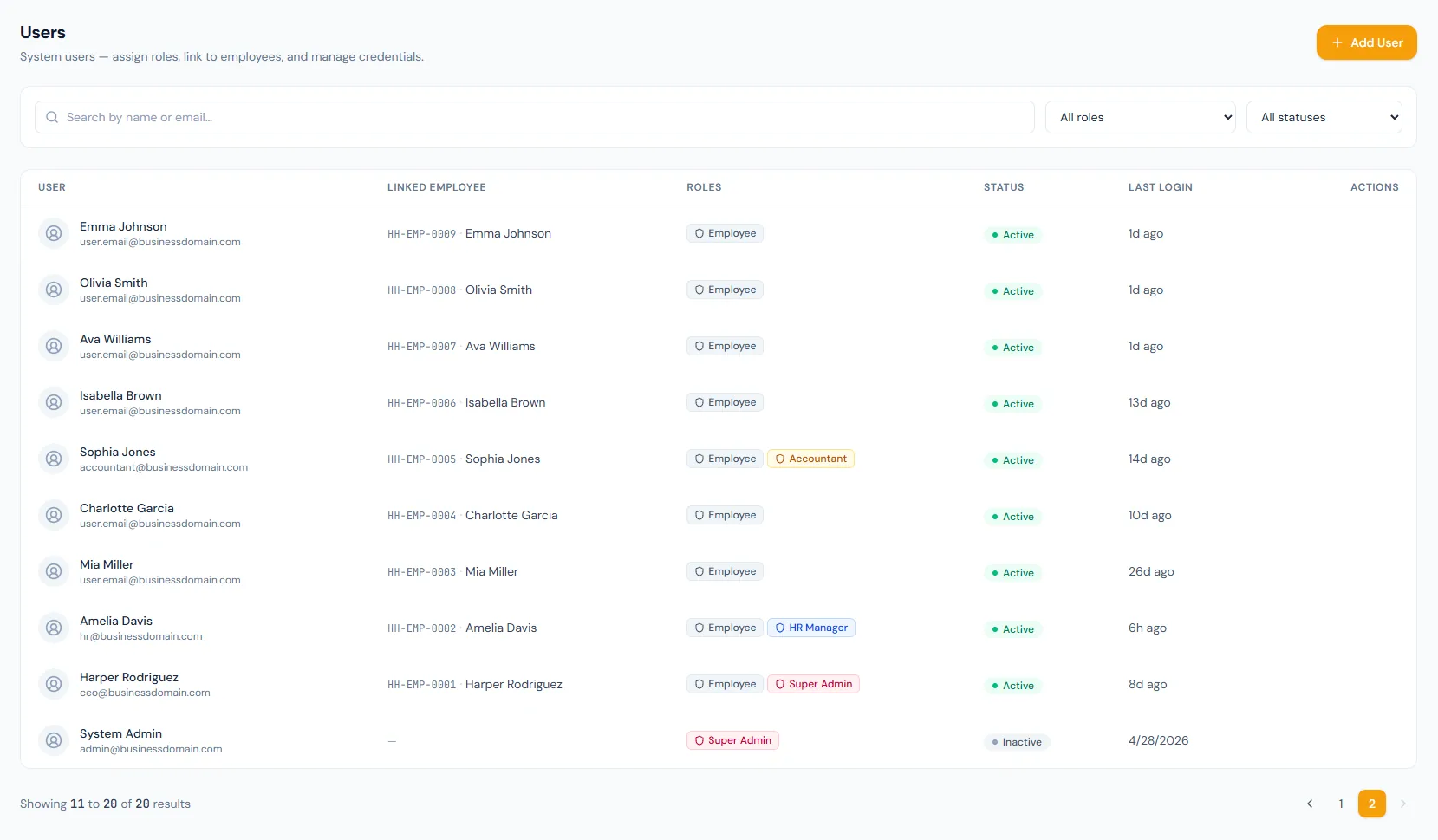
Create, update and manage users from the access control area.
Accounts can map to employee profiles for portal and HR ownership.
A pending invitation or setup email can be re-sent to a user who missed it.
Five failed attempts lock the account, and a successful sign-in clears the lock automatically.
Troubleshooting access can be granted deliberately and audited.
The built-in roles cannot be renamed, edited or deleted — their name, description and grants are fixed.
Manage HRM login accounts, employee links, passwords, role assignment, impersonation and active status with safeguards around system roles and historical access.
Choose a view to see how this module keeps daily HR work structured and reviewable.
User creation captures employee link, roles and active status.
Values remain traceable in HRM.Shared context keeps this workflow aligned with access control records.
ConnectedShared context keeps this workflow aligned with role-based permissions records.
ConnectedShared context keeps this workflow aligned with audit logs records.
ConnectedShared context keeps this workflow aligned with system administration records.
ConnectedShared context keeps this workflow aligned with employee documents records.
ConnectedYes. User creation supports employee-linked access.
Deactivation preserves historical references more safely.
Yes. Password reset and must-change-password flows are supported.
Map your current workflow to the right HRM setup, permissions and rollout plan.