
Capture data-change activity, administrative actions, old and new values, request context, email logs and SMS logs so HRM operations remain reviewable.
Audit coverage
Capture data-change activity, administrative actions, old and new values, request context, email logs and SMS logs so HRM operations remain reviewable.
Capture data-change activity, administrative actions, old and new values, request context, email logs and SMS logs so HRM operations remain reviewable.
Business services write explicit audit entries when important records change.
Admins can review what changed on a specific employee, role, payroll or document record.
Email and SMS activity can be reviewed alongside operational changes.
The Audit Logs page helps administrators review critical HRM activity, inspect record changes, filter operational events and trace sensitive administrative actions.
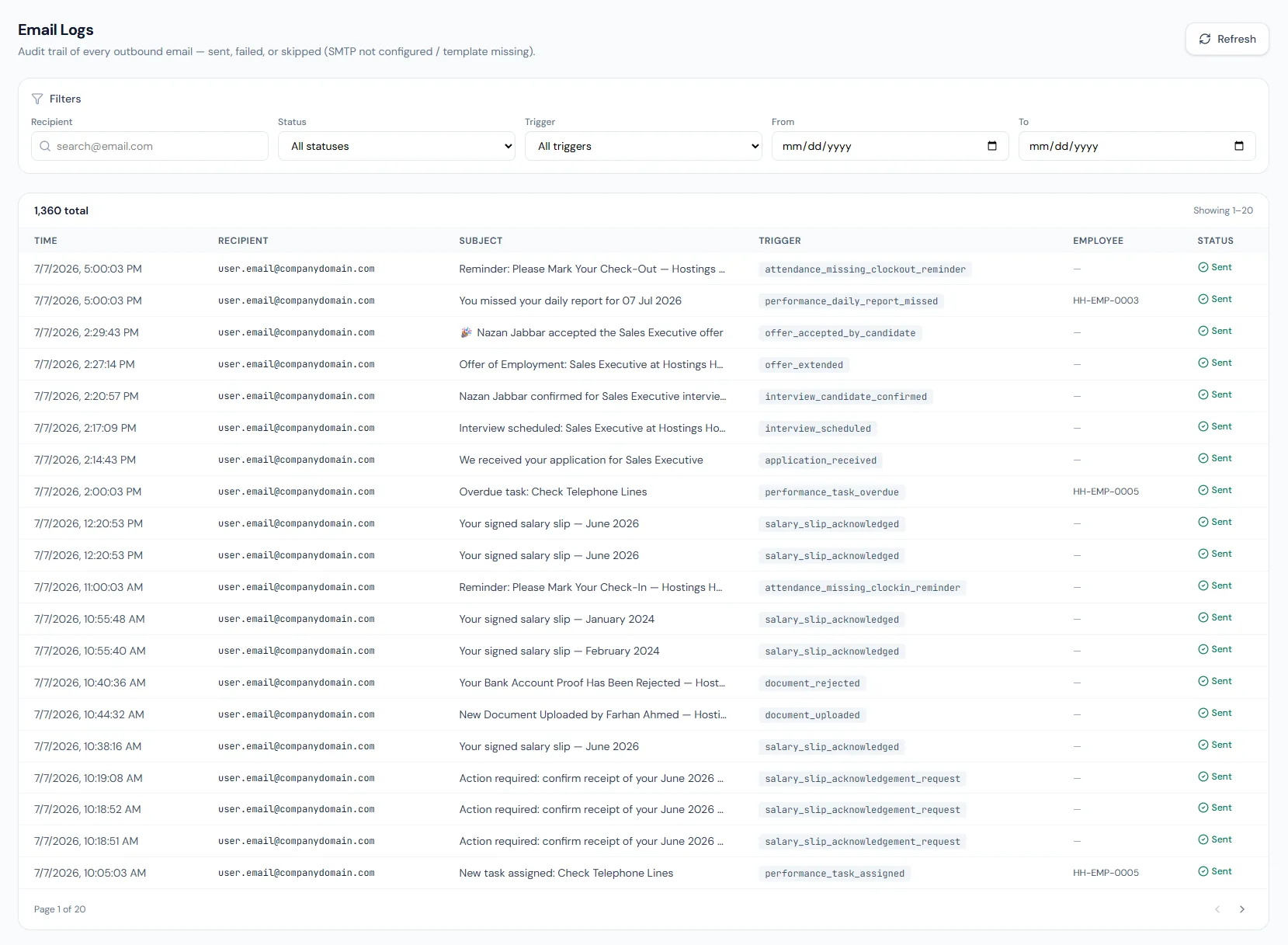
Choose a view to see how this module keeps daily HR work structured and reviewable.
Activity entries store actor, action, target entity and request context.
Values remain traceable in HRM.Meaningful changes are logged at the point they occur.
Admins can browse system activity from the administration area.
Authentication events are available separately from business activity.
Record-specific history helps investigate sensitive changes.
A dedicated view reports any request the cross-company guard turned away.
Activity, sign-in and entity history sit behind the audit permission, while email and SMS logs use their own settings permissions.
Shared context keeps this workflow aligned with access control records.
ConnectedShared context keeps this workflow aligned with role-based permissions records.
ConnectedShared context keeps this workflow aligned with audit logs records.
ConnectedShared context keeps this workflow aligned with system administration records.
ConnectedShared context keeps this workflow aligned with employee documents records.
ConnectedEvery meaningful change is logged explicitly.
Users with the required audit permission.
Login history is tracked separately from business activity logs.
Map your current workflow to the right HRM setup, permissions and rollout plan.