
Collect candidate applications from the public careers form or manual HR entry, dedupe candidates by email and keep a unique candidate-to-opening application record.
Collect candidate applications from the public careers form or manual HR entry, dedupe candidates by email and keep a unique candidate-to-opening application record.
Choose a view to see how this module keeps daily HR work structured and reviewable.
The careers form creates candidate and application records together.
Values remain traceable in HRM.The Candidate Applications page centralizes public and manual applicants, keeps candidate records deduped and feeds every application into the hiring pipeline.
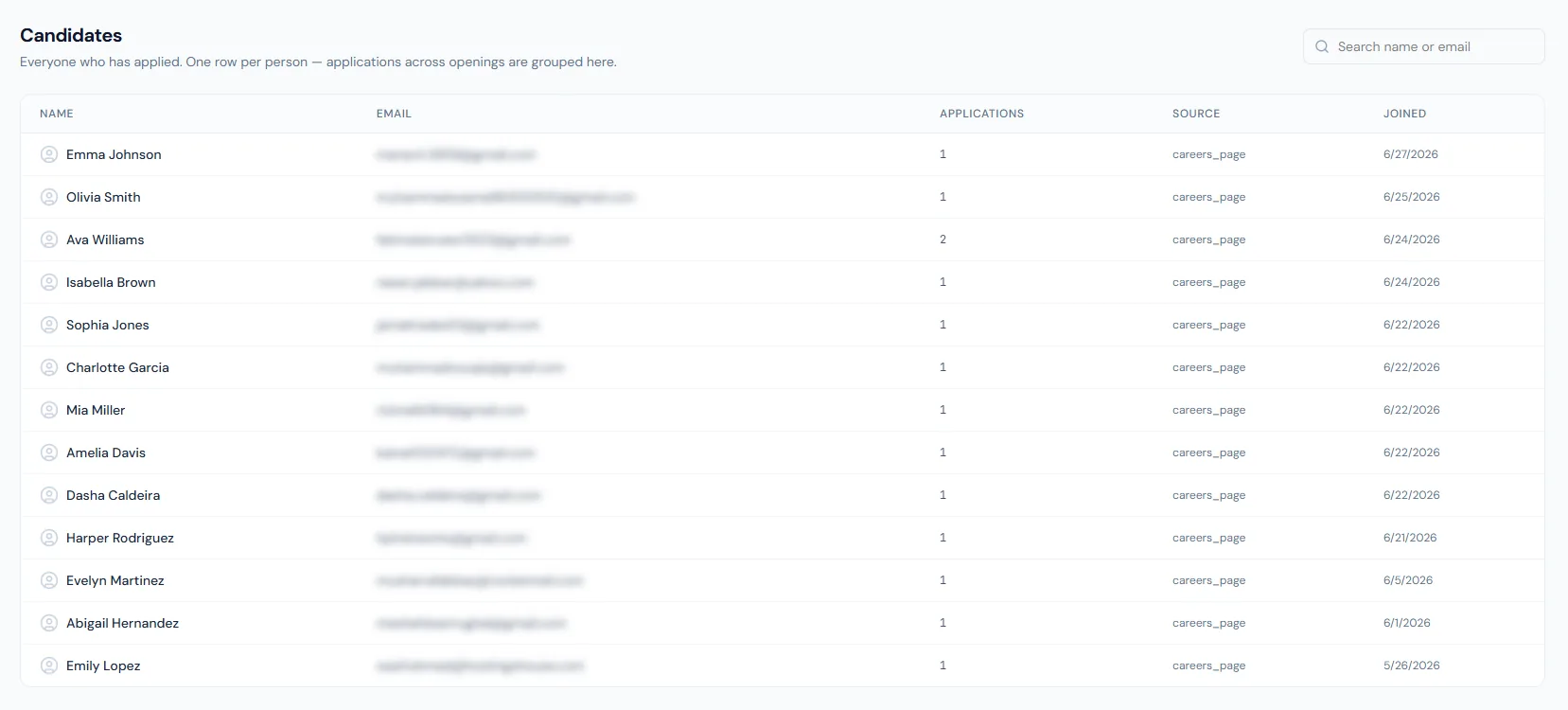
Collect candidate applications from the public careers form or manual HR entry, dedupe candidates by email and keep a unique candidate-to-opening application record.
Candidates apply from the careers detail page and submit their CV directly into HRM.
HR can add candidates who arrive through LinkedIn messages or other external channels.
Candidate rows are deduped by company and email, while applications remain unique per opening.
Applications can come directly from the careers site, with public submissions rate-limited to keep spam out.
Sourced candidates can be added quickly by HR with an eight-value source taxonomy plus free text.
Uploaded resumes attach to the candidate/application flow.
Email-based dedupe reduces duplicate records.
A returning applicant's CV and contact details refresh while notes and stage history stay intact.
Candidates receive a consistent confirmation.
Shared context keeps this workflow aligned with careers page records.
ConnectedShared context keeps this workflow aligned with candidate pipeline records.
ConnectedShared context keeps this workflow aligned with interviews records.
ConnectedShared context keeps this workflow aligned with offers records.
ConnectedShared context keeps this workflow aligned with notifications records.
ConnectedA public re-application updates the existing record instead of creating a duplicate; manual entry of an existing applicant is blocked.
Yes. Manual entry with source tracking covers sourced candidates.
Yes. The application received message is sent after creation.
Map your current workflow to the right HRM setup, permissions and rollout plan.