
Designation names
Keep practical job titles such as Software Engineer, HR Manager, Finance Manager and CEO available for employee assignment.
Maintain designations for every role in the organization, including short codes, hierarchy levels and active status for employee profiles, reporting and HR documents.
The page lists every job title in a searchable setup table.
Maintain designations for every role in the organization, including short codes, hierarchy levels and active status for employee profiles, reporting and HR documents.
Keep practical job titles such as Software Engineer, HR Manager, Finance Manager and CEO available for employee assignment.
Use short codes and numeric levels to support hierarchy, reporting and role grouping.
Active status badges show which titles remain available for current HR operations.
Maintain designations for every role in the organization, including short codes, hierarchy levels and active status for employee profiles, reporting and HR documents.
The Designations page from HRM shows a full job-title catalog with codes and levels for structured employee records.
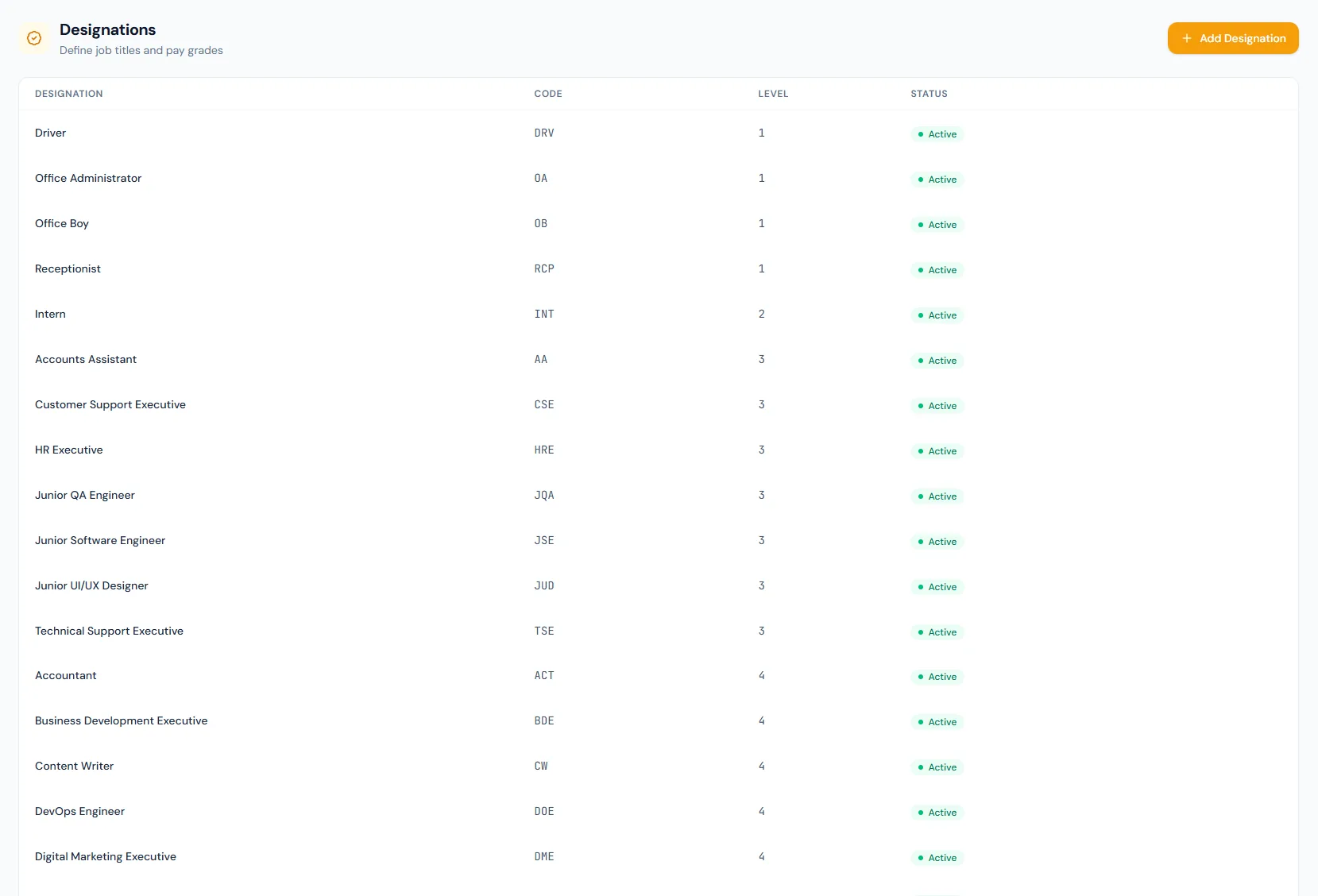
The setup supports many practical titles across operations, engineering, sales, finance and leadership.
Each designation can reference a pay grade so compensation stays aligned with the role catalog.
Numeric levels make seniority and grade alignment easier to maintain.
A stored job description per designation merges straight into employment agreements.
Designations can set the daily-report exemption default, overridable per employee.
HR can clearly see which roles remain current.
Every view stays structured and reviewable — nothing hides behind a tab.
The page lists every job title in a searchable setup table.
Codes keep designations compact in reports and exports.
Levels describe seniority from entry roles through executive leadership.
Active status controls whether titles are usable in HR records.
Designation name, code, level and status.
Yes. The level column expresses seniority across the role catalog.
Employee profiles, documents, contracts, reports and organizational filters can use them.
Map your current workflow to the right HRM setup, permissions and rollout plan.